Best plugin wordpress integrate Elementor with Brevo (Sendinblue)
Integrate Elementor with Brevo so that contacts, leads or subscribers from form submissions are automatically transferred and save to your email marketing software and CRM like Brevo (Sendinblue) with absolutely zero coding experience. The only limit is your own imagination.
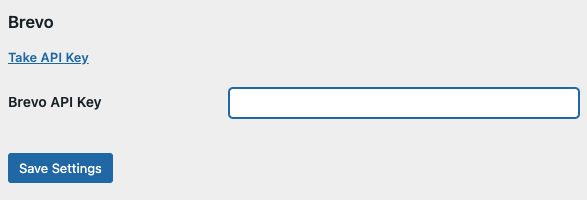
Step 1: Get Brevo API Key via this link: https://app.brevo.com/settings/keys/api
Step 2: Add API Key to Ali Integration page.
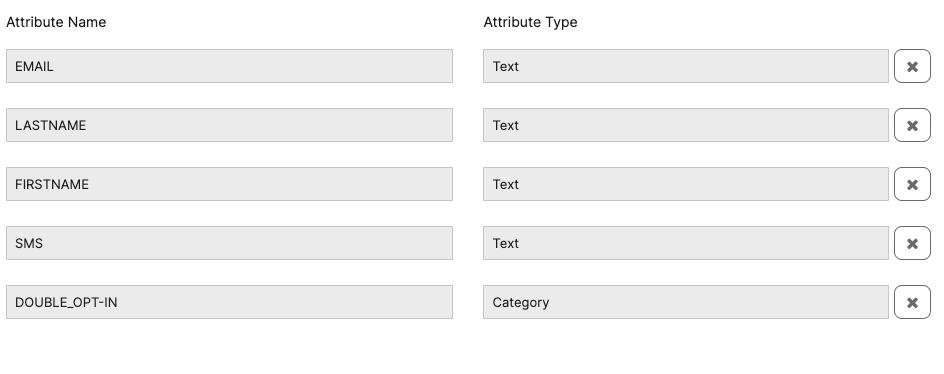
Step 3: Create a form with field item follow your attributes in Brevo setting
Get List ID and add it to setting of Brevo in form setting.
If you truly understand how to use Brevo, you will see how using attributes comfortably can greatly enhance marketing effectiveness. Just need to click to Get Attributes in form setting
After get attributes, add it to repeater field mapping
Mobile Number in SMS field should be passed with proper country code. For example: {“SMS”:”+91xxxxxxxxxx”} or {“SMS”:”0091xxxxxxxxxx”}. To create the country code field, follow this document: How to add the country code field for Elementor
The email field is require and type of it is text, not email.
This is result after submit the form. The user data will be pushed to Contact in Brevo.