
Easy to create the repeater field for Elementor Form 2026
If you’re searching for an easy way to add a repeater field for Elementor form, you’ve probably noticed one big limitation:
Elementor Pro does NOT support repeater fields natively.
That means you can’t let users dynamically add multiple sets of fields such as:
Multiple team members
Multiple products in a single order
Multiple addresses
Multiple file uploads grouped together
The good news?
You can add a repeater field to Elementor Form using the Ali Addons For Elementor — even with advanced options like validation, saving to custom posts, sending to CRM, or using multi-step forms.
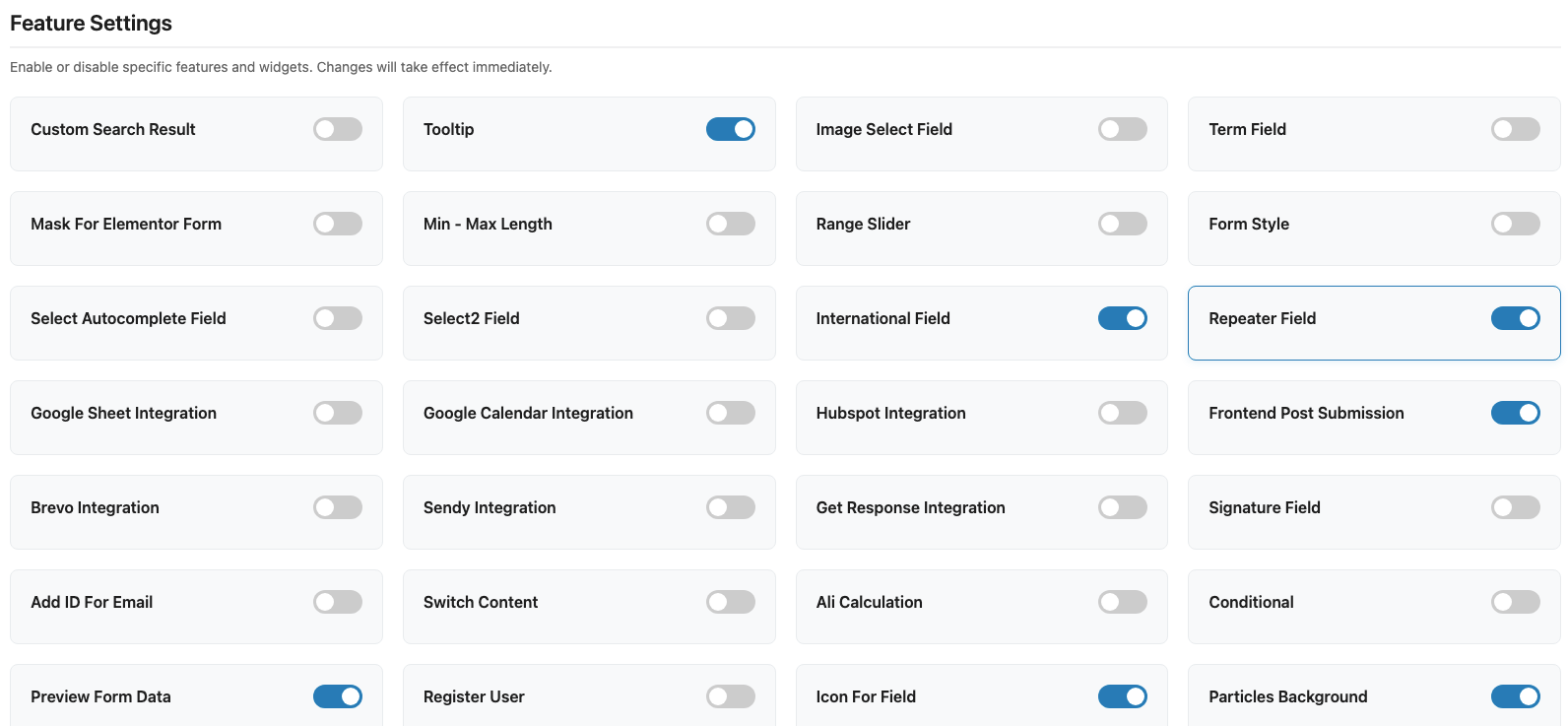
Step 1: Install Ali addons for Elementor and enable the repeater field for elementor form.
Step 2: Create the Elementor form on your page.
- In the each form field, you will see the Ali Repeater switch button in below. Switch it and fill the repeater group id and the order of that field in the repeater.
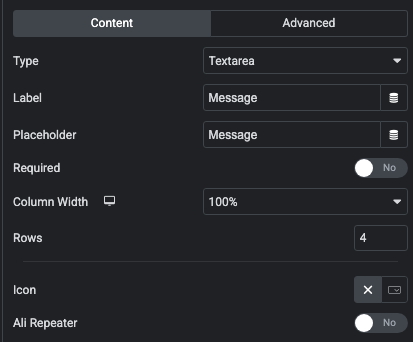
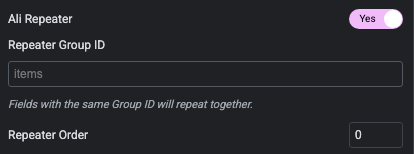
Note: When creating subfields inside a repeater, you need to place them next to each other in the field list and assign them the same repeater group ID. You can also create multiple repeaters within the same form, as long as the subfields share the same repeater group ID.”
Step 3: Open Repeater group id and fill the id which you used for items.
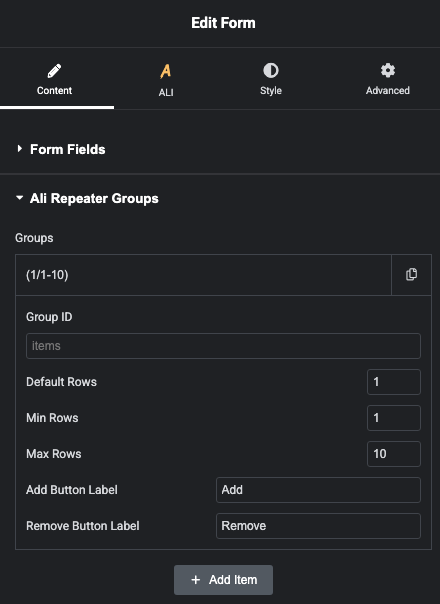
With just the three simple steps above, you can create a repeater field for your Elementor form — a powerful feature that’s extremely useful when collecting data for yourself or your company.
Below is the demo for the repeater field